

VOIDX DEX
The VOIDX DEX at voidx.trade/dex is a fully on-chain exchange built on DeepBook v3, the native central limit order book (CLOB) on the Sui blockchain. Unlike an AMM where you trade against a pricing curve, every order on the VOIDX DEX rests in a real order book and every fill settles directly on-chain. It is non-custodial by design: you trade from your own Sui wallet, you sign every transaction, and VOIDX never holds, moves, or can access your funds. There are no deposits to VOIDX and no withdrawal rights — your money stays in objects controlled by your wallet.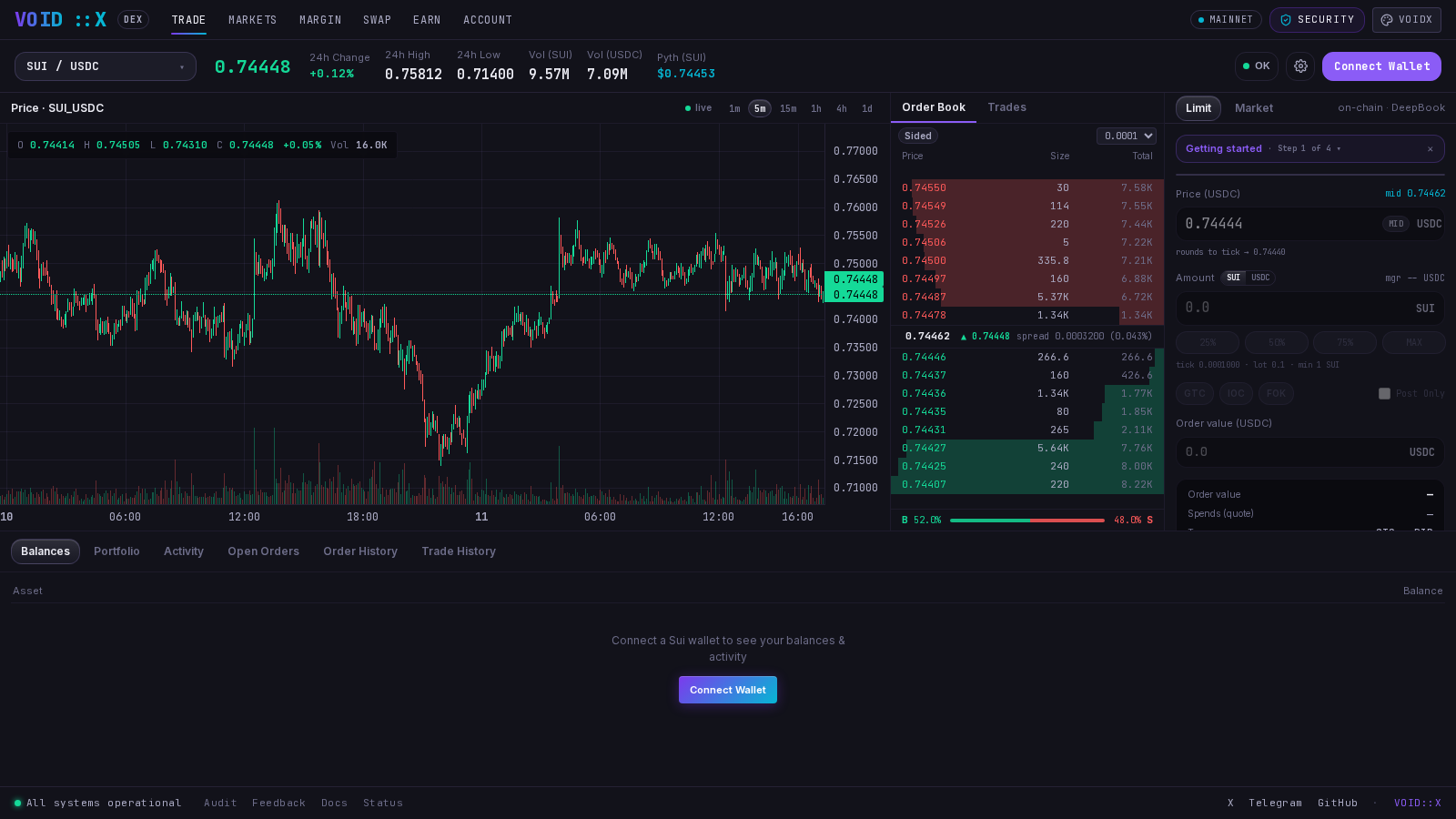
What You Can Do
Trade
Full CLOB terminal: live order book and trades, candlestick chart with multiple timeframes, limit and market orders, open-order management, and cross-session history.
Swap
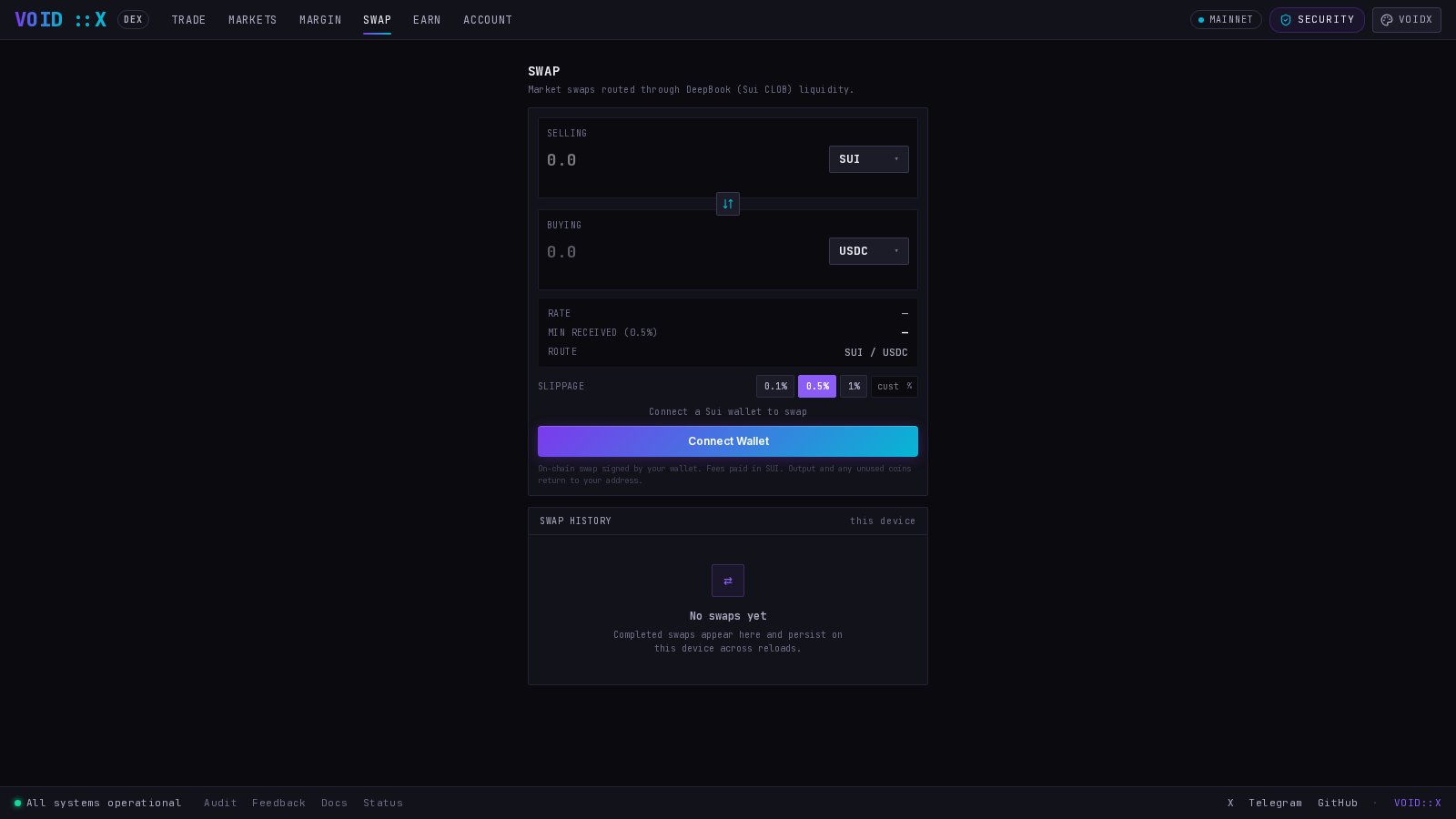
Aggregator-style market swap routed through DeepBook order books. One card, no order types — just pick a pair and an amount.
Markets
Trending and discovery view across every DeepBook market — price, 24h change, volume, highs and lows. Click any market to trade it.
Create a Pool
Permissionless market creation: list any Sui coin pair as a new DeepBook pool, directly from the UI.
The Non-Custodial Model
Three principles, taken directly from the DEX’s built-in Security panel:- Non-custodial by design. VOIDX never holds, moves, or can access your funds. There are no deposits to VOIDX and no withdrawal rights. Your money stays in your wallet — yours.
- On-chain settlement. Every trade executes directly on Sui DeepBook, the native on-chain order book. No off-chain matching engine, no hidden books — every fill is verifiable on-chain.
- You sign everything. No transaction can happen without your wallet’s explicit signature. Successful actions link straight to the transaction on Suiscan so you can verify them yourself.
The BalanceManager, Explained Simply
DeepBook limit orders do not spend coins straight out of your wallet. They settle through a small on-chain object called a BalanceManager — think of it as your personal trading account on the blockchain, created once and controlled only by your wallet. Here is the whole flow in one picture:- You create it once. It is a one-time setup transaction that costs only gas. You don’t even need to do it manually — the UI auto-provisions a BalanceManager on your first limit order (it just asks for one extra signature).
- Your wallet custodies it — not VOIDX. Every deposit, withdrawal, order, and cancel on the BalanceManager requires an ownership proof generated by your wallet’s signature. VOIDX has no access.
- Deposit and withdraw freely. Move coins from your wallet into the BalanceManager to fund orders, and pull them back out to your wallet at any time.
- It remembers your history. Your order and trade history is keyed to your BalanceManager on-chain, so the Account panel can show it across sessions and devices.
A BalanceManager is a shared Sui object, which means it cannot be auto-discovered from your wallet alone. The UI remembers its ID per wallet in your browser. If you switch browsers or clear storage, you can re-import your existing BalanceManager by pasting its object ID (find it on Suiscan) — you never lose the funds in it.
What’s Live vs. Preview
The DEX is honest about what is real. Here is the current state:Wallets, Prices, and Themes
- Wallets — connect any Sui wallet through the standard Sui wallet connect modal (dapp-kit). Your address is your identity; no sign-up.
- USD prices — USD reference values throughout the DEX come from the Pyth oracle network. If the oracle is unreachable, prices degrade to ”—” rather than showing stale or fabricated numbers.
- Market data — order books, trades, and tickers come from the public DeepBook indexer; a health pill in the UI shows live indexer connectivity and latency.
- Themes — toggle between Dusk (warm dark) and Dune (warm light) from the navigation bar.
Next Steps
Place Your First Order
Step-by-step: connect, fund, and trade on the order book.
Make a Swap
The simplest way to use the DEX — one transaction, no setup.
Browse or Create Markets
Discover trending markets or list a new trading pair yourself.