

Swap
The Swap page at voidx.trade/dex/swap is the simplest way to use the VOIDX DEX: a single card where you pick a pair, enter an amount, and sign one transaction. No order types, no BalanceManager, no setup — the swap spends directly from your wallet and the output comes straight back to your address.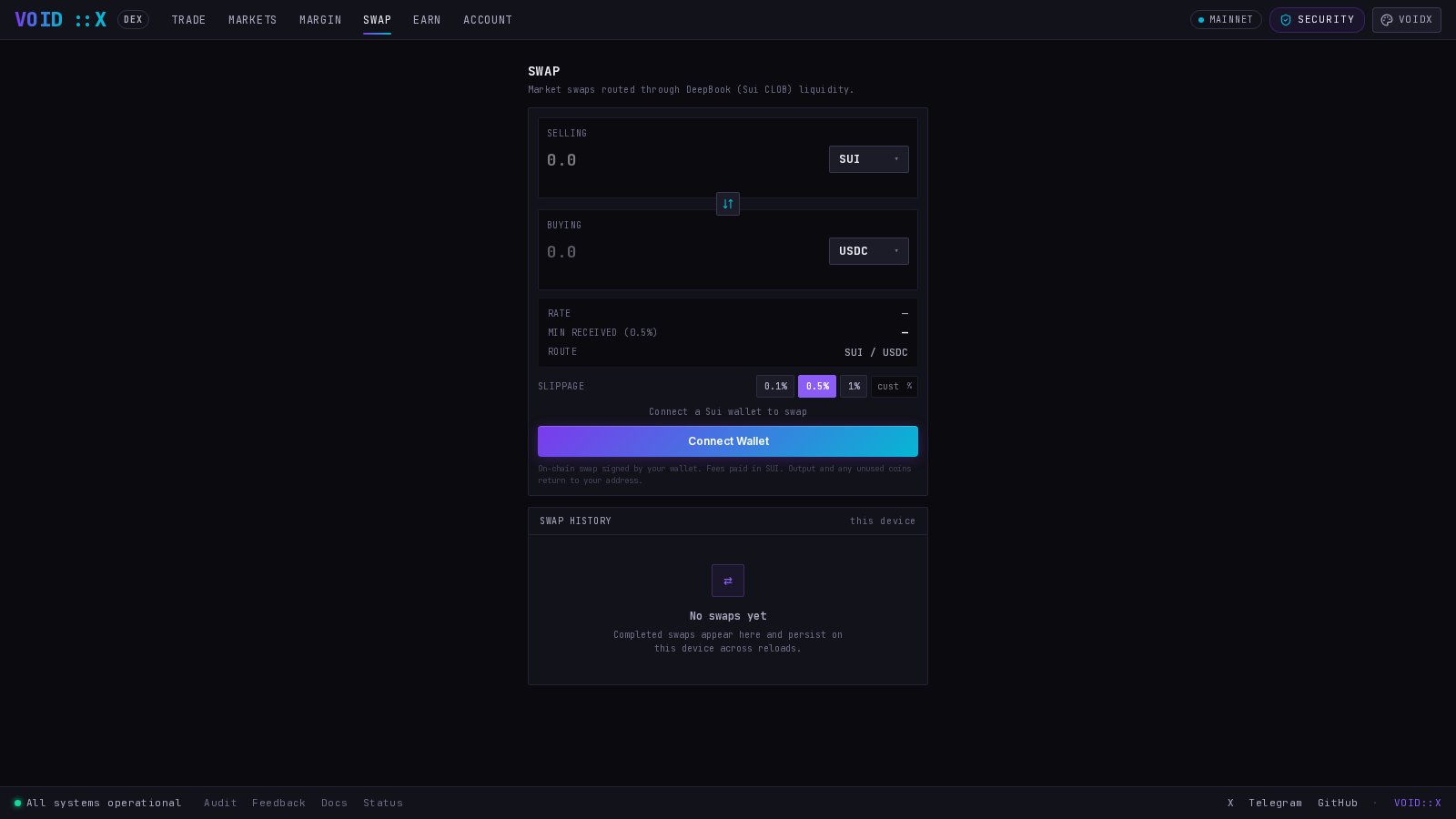
Unlike most “swap” interfaces, this is not an AMM. Your swap executes against real resting orders in DeepBook’s on-chain central limit order book. The quote you see is computed by walking the live book level by level — the same prices a manual trader would get.
How a Swap Works
- Routing — the page loads every DeepBook pool and routes your pair through the matching order book. Real liquidity only: if no DeepBook pool exists for a pair, you get an honest “no route” instead of a synthetic price.
- Quoting — the live level-2 order book is walked to compute your expected output, the realized average price, and whether the book has enough depth to fill your whole amount.
- Protection — your slippage tolerance converts the expected output into a guaranteed minimum output. The transaction enforces it on-chain: if the book moves beyond your tolerance before the transaction lands, the swap fails instead of filling worse.
- Settlement — one transaction, signed by your wallet. The output coin and any unused input are transferred back to your address. The success state links the transaction on Suiscan.
Making a Swap
1
Connect your Sui wallet
Click Connect Wallet and approve in your wallet extension.
2
Pick the pair and direction
Choose what you’re paying and what you want to receive. Pairs map to DeepBook pools (e.g. SUI/USDC).
3
Enter an amount
Enter the amount in the input coin, or flip the unit toggle to type the amount in the other coin — the card converts via the current mid price. The quote updates live: expected output, average price, and USD reference values from the Pyth oracle.
4
Set slippage tolerance
Presets are 0.1% / 0.5% / 1% (default 0.5%). You can change the default in the DEX settings; once you touch the control on the card, your manual choice wins. Lower tolerance = tighter price protection but higher chance the transaction fails in a fast market.
5
Review and confirm
The review step shows exactly what you’re sending, the minimum you’ll receive, and the average price — nothing executes on a single click. Confirm, then sign in your wallet.