

VOIDX Vaults
Vaults are one-click presentation cards backed by the same canonical configurations used in Marketplace. Choose a strategy and venue, review its settings, and launch through the standard deploy wizard on your own exchange credentials. Funds never leave your exchange. VOIDX uses read/trade-only API access to place and manage orders; wallet authentication is account identity, not custody.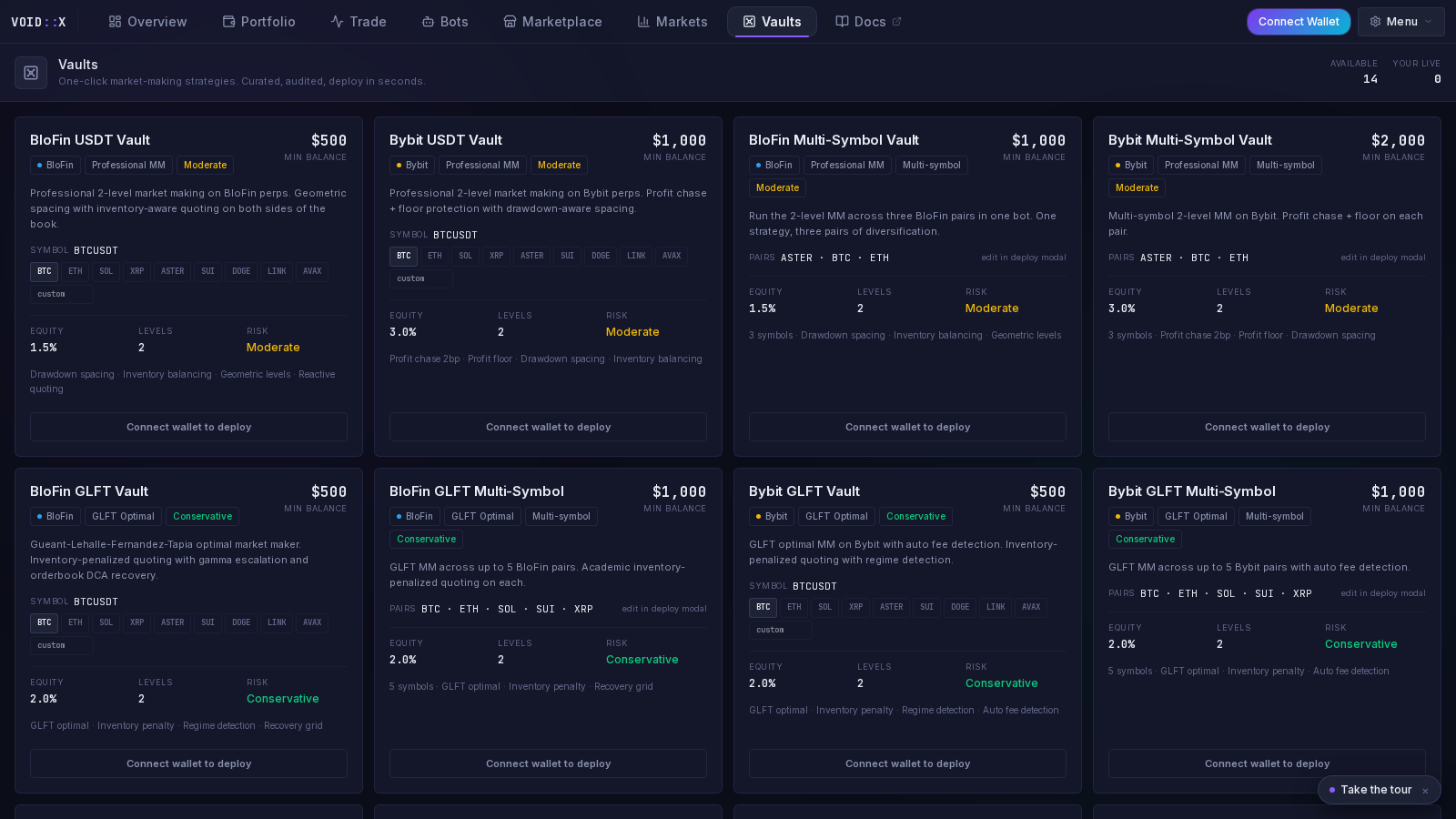
Current Catalog
The current Vault catalog contains 91 vaults:
A curated Latest rail promotes selected modern profiles. Latest is a product shelf, not a profitability ranking.
What a Vault Card Shows
- strategy and preset name
- exchange badge and supported venue
- risk tier
- exposure or position sizing summary
- level count or core geometry
- feature summary
- default/static symbols or dynamic-universe behavior
- deploy action linked to the exact canonical preset
Tyler’s Liquidation Hunter Vault
BloFin Tyler’s Liquidation Hunter is an aggressive TBLTBS vault designed to make the production raw Cascade profile easy to find and switch to.
Liquidation Hunter shares the Cascade
BLC_ campaign owner, namespace, and account lock. It is replacement-only and must not run beside another TBLTBS account owner.
Getting Started
1
Connect your wallet
Authenticate the VOIDX account that owns the saved exchange connection.
2
Add exchange API credentials
Save credentials through the encrypted exchange flow.
3
Select a vault
Match venue, risk tier, exposure unit, leverage, and campaign behavior to your account.
4
Review the canonical config
Confirm symbols, concurrency, TP mode, stop behavior, and recovery policy. Do not rely on the card title alone.
5
Deploy and verify
Confirm a healthy runtime heartbeat and reconcile live exchange positions and orders.
Strategy Highlights
TBLTBS
Directional campaign profiles including LINEAR, Peaks/Troughs Lambo, Cascade Maker, fixed/trailing/partial exits, adaptive terminal policies, protective hedging, Profitable Recycle, Profit Danger, and Professional Auto-Reduce. TBLTBS profiles that share an account use controlled replacement and durable ownership handoff. Existing exposure is never assumed from a prefix alone.Orderbook Walls
Maker-entry and recovery profiles derived from observed book liquidity. Risk tiers and V1/V2 lifecycle choices vary by venue.Vortex
Grid and wave-queue DCA profiles. Anchored variants reduce price churn; multi-symbol variants allocate independent campaign budgets.GLFT and Professional MM
Two-sided market-making vaults with inventory controls, position ceilings, spread logic, and recovery behavior. GLFT derives offsets from model inputs; Professional MM uses configured execution and inventory rules.EMA Singularity and RetShock
Signal-driven profiles that wait for completed-candle extremes or return-shock events rather than quoting continuously.Hydra
Dynamic-universe, account-coordinated admission and recovery profiles. Risk tiers change concurrency and daily-loss policy while preserving the core lifecycle.Vaults vs Marketplace
Both deploy canonical presets through the same wizard.- Vaults emphasize one-click discovery, feature summaries, and release curation.
- Marketplace provides the complete grouped preset browser, exchange variants, technical details, and custom JSON tools.
Managing a Deployed Vault
After deployment:- the bot appears in Bot Management
- live status depends on exact process identity and heartbeat freshness
- settings edit the saved configuration
- a preset update requires explicit confirmation
- updating saved configuration does not automatically restart a running bot
- stopping does not close positions
Frequently Asked Questions
Are Vaults custodial?
Are Vaults custodial?
No. Funds remain on your exchange. Use read/trade-only credentials and disable withdrawals.
Are Vault and Marketplace configurations different?
Are Vault and Marketplace configurations different?
A vault references a canonical Marketplace preset by stable ID. Its card is a curated presentation of the same deployable configuration.
Can I customize a Vault?
Can I customize a Vault?
Yes. Changes made in the deploy wizard become a custom saved configuration. Future source updates require explicit replacement confirmation.
Does stopping a Vault close positions?
Does stopping a Vault close positions?
No. Stopping a bot stops automation; it does not liquidate or close exchange positions.
What is caretaker mode?
What is caretaker mode?
During a proven TBLTBS strategy handoff, an inherited campaign may remain protected while all new growth is blocked. It can be promoted only when ownership, account capacity, and exchange truth are authoritative.
Marketplace
Browse all active preset cards
TBLTBS
Liquidation Hunter and safe switching
Bot Management
Monitor and control deployed bots
Risk Management
Operational and account safety guidance